
Looking for a free alternative to Google Photos in 2026? Start with the way you want to store photos. Immich is the closest self-hosted replacement for an automatically backed-up phone library. If running a server is not for you, Ente Photos offers a 10 GB hosted free tier with end-to-end encryption. For a strictly local Windows library, choose digiKam.
“Free” means different things here: open-source software, a limited hosted plan, or an app included with hardware you must buy. None of the self-hosted options provides free disks, electricity, or an off-site backup. The seven choices below include open-source and proprietary products so you can compare real alternatives rather than treating them as identical.
- Quick picks: which Google Photos alternative should you choose?
- Compare 7 Google Photos alternatives in 2026
- Immich — closest self-hosted Google Photos replacement
- PhotoPrism — strong for existing folders and RAW
- Piwigo — albums and shareable galleries
- digiKam — free, local-only photo organization
- Nextcloud Memories — best if you already use Nextcloud
- Ente Photos — easy encrypted hosted backup
- Synology Photos — for people who already own a NAS
- The bottom line
- Before migrating from Google Photos
- FAQ
- Sources and review method
- Disclaimer
Quick picks: which Google Photos alternative should you choose?
- Best overall: Immich, if you can maintain a server and want a Google Photos-like phone backup and timeline.
- Best self-hosted for existing folders and RAW: PhotoPrism, particularly when indexing an existing library matters more than a native phone app.
- Best for beginners: Ente Photos, if its 10 GB free hosted tier is enough and you do not want to administer a server.
- Best for privacy: Ente Photos for end-to-end encrypted hosted backup; consider self-hosting if you want the storage under your control.
- Best local-only: digiKam on Windows, Linux, or macOS; it organizes files on your computer but is not a phone backup cloud.
Already have Nextcloud? Start with Memories. Already own a compatible Synology NAS? Try Synology Photos. Need shareable galleries? Piwigo is worth a look.
Compare 7 Google Photos alternatives in 2026
These tables separate software price from storage cost. “Auto-backup” refers to phone uploads, not an independent second copy of the server. Feature availability and file-format previews can vary by version, hardware, and setup.
| App | Cost | Hosting / setup |
|---|---|---|
| Immich | Free software; server cost | Self-host; advanced |
| PhotoPrism | Free Community; paid extras | Self-host; advanced |
| digiKam | Free desktop app | Local PC; easy |
| Piwigo | Free self-host; paid Cloud | Self-host; intermediate |
| Memories | Free app; server cost | Nextcloud; advanced |
| Ente | 10 GB free hosted tier | Hosted easy; self-host possible |
| Synology Photos | App with NAS; hardware cost | Synology NAS; intermediate |
| App | Phone backup | Face recognition |
|---|---|---|
| Immich | Official mobile app | Built in |
| PhotoPrism | Third-party sync | Built in |
| digiKam | No phone cloud backup | Local |
| Piwigo | Test mobile workflow | Not confirmed in core |
| Memories | Nextcloud mobile app | Optional Recognize app |
| Ente | Official mobile app | On-device |
| Synology Photos | Official mobile app | Selected NAS models |
| App | RAW | Privacy |
|---|---|---|
| Immich | Supported formats | Your server |
| PhotoPrism | Supported | Your server |
| digiKam | Supported | Local files |
| Piwigo | Check preview setup | Your server |
| Memories | Extra preview setup | Your Nextcloud |
| Ente | Verify your format | End-to-end encrypted |
| Synology Photos | Supported formats | Your NAS |
For RAW workflows, check your exact camera format and preview generation before migrating. Immich lists supported formats; Memories documents extra RAW preview setup; Synology lists its image formats. An app accepting a file does not automatically make it a RAW editor.
Immich — closest self-hosted Google Photos replacement
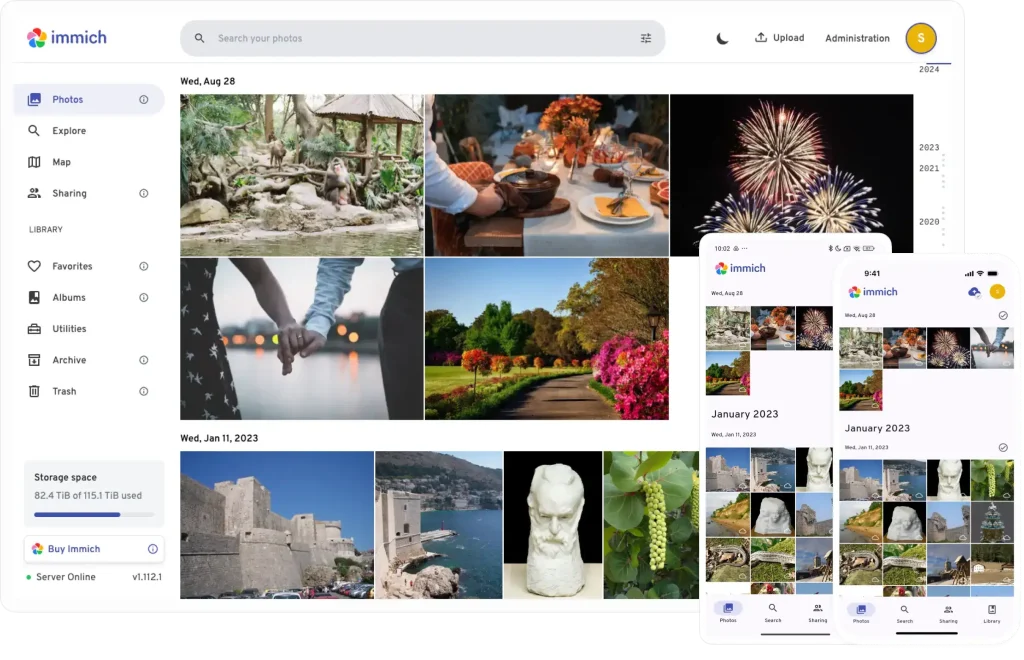
Immich combines a photo timeline, search and face recognition with an official mobile app that can back up selected albums. It is free to self-host, but you provide the machine, disk capacity, maintenance and a separate backup. Its supported-format list includes RAW formats.
For Windows 11, follow our How to Set Up Immich on Windows 11 [2026 Guide]. Immich recommends Linux for a production server; Docker Desktop/WSL2 on Windows needs care, especially for PostgreSQL storage on NTFS or exFAT mounts. Read the official requirements before installation. Google Takeout migration is possible, but inspect the exported metadata and use a small test import first.
If Immich is not quite right for your storage, privacy or setup needs, see our comparison of six Immich alternatives for self-hosted photo management before committing to a server.
PhotoPrism — strong for existing folders and RAW
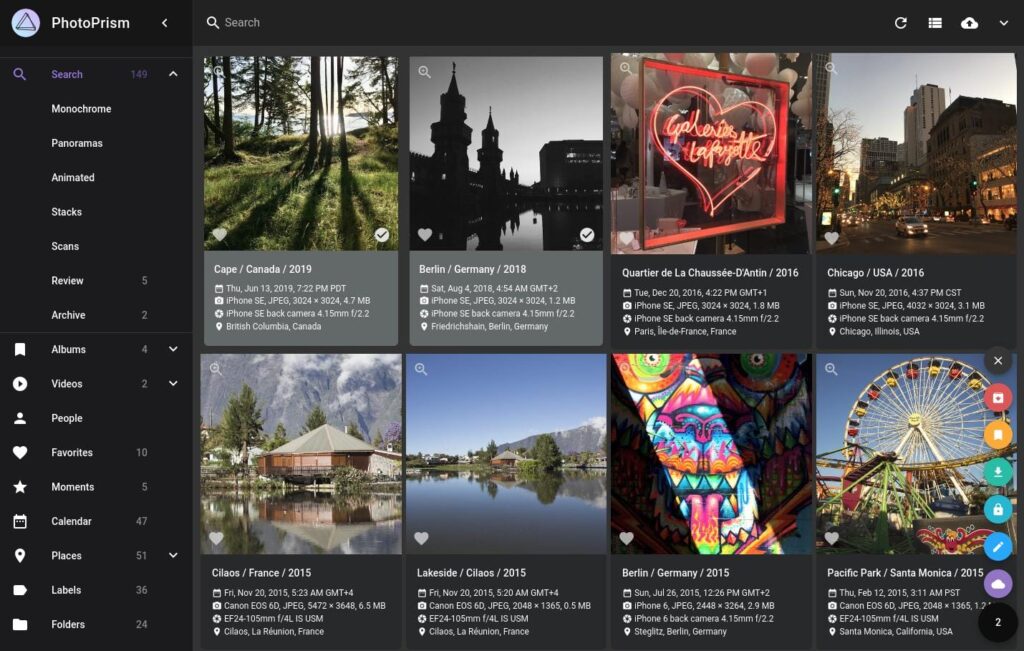
PhotoPrism indexes photos on your own server and supports search, faces and RAW-oriented collections. Its Community edition can be self-hosted without a subscription, while some features and support are paid. It is a good fit when you already have a carefully organized folder library.
A Docker-based setup can run on Windows; our PhotoPrism Windows guide covers that route. Mobile uploads usually use a third-party sync app rather than an official PhotoPrism phone backup app. Its Google Takeout guide explains metadata import, but you should verify albums and dates after a sample migration.
Piwigo — albums and shareable galleries
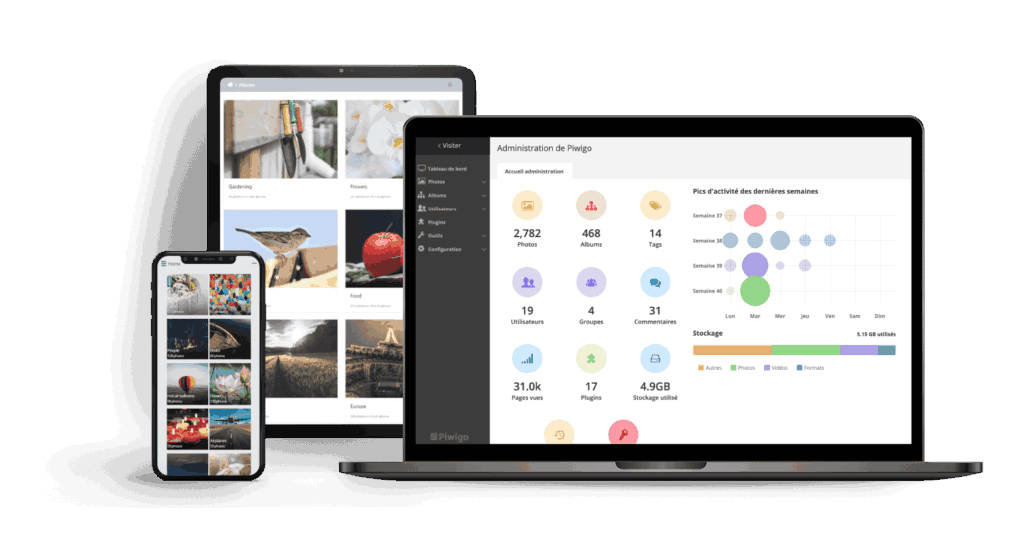
Piwigo is free, open-source software when you host it yourself; Piwigo Cloud is a separate paid service. It focuses on albums, sharing, themes and extensions rather than imitating Google Photos exactly. Its mobile apps can upload photos, but do not assume Google Photos-style unattended background backup without testing your device and app version.
Piwigo is a practical choice for a family or community gallery. Confirm RAW preview and face-recognition needs against the extensions you plan to install; neither should be treated as a guaranteed core feature. Windows users need a suitable server environment rather than a simple native desktop app.
digiKam — free, local-only photo organization
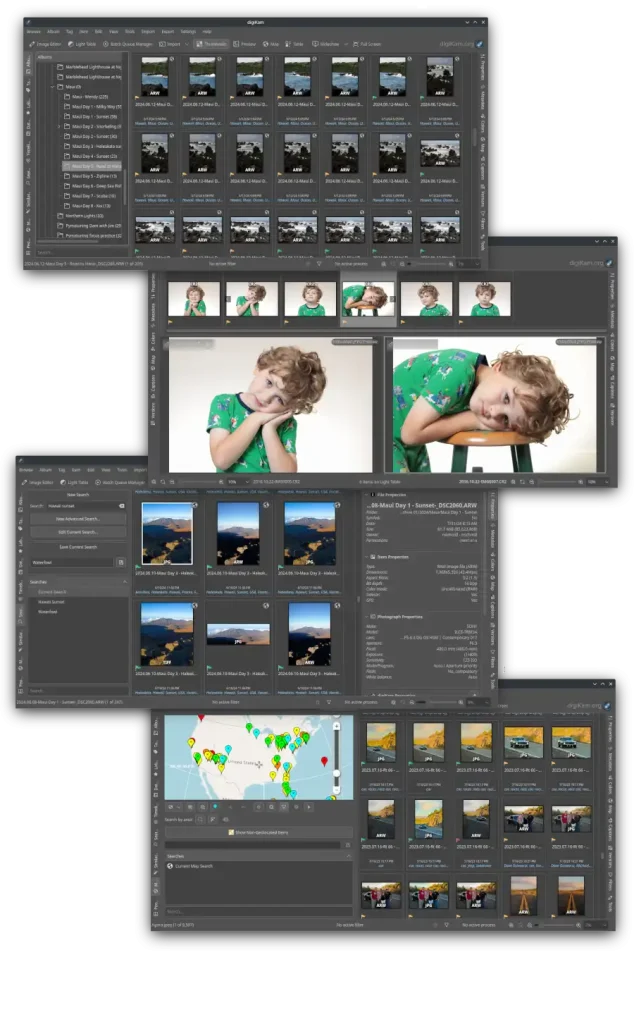
digiKam is a free open-source desktop manager with metadata tools, RAW support and local face recognition. It has a native Windows installer, so it is easier to start using than a self-hosted server. Processing can stay on your PC, giving you direct control of the library.
The trade-off is important: digiKam does not replace Google Photos phone auto-backup, remote access, or hosted storage. Add your own phone transfer and independent PC backup if those are requirements.
Nextcloud Memories — best if you already use Nextcloud
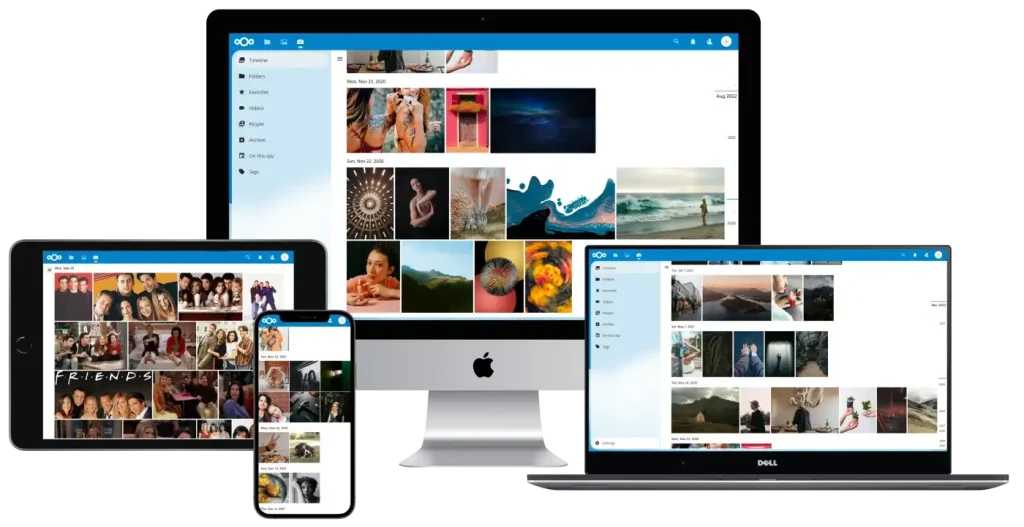
Memories is a free open-source photo app for an existing Nextcloud server, not a standalone cloud service. It provides a timeline and albums; face recognition relies on optional Nextcloud apps such as Recognize. The Nextcloud mobile apps can automatically upload photos.
Your Nextcloud deployment, disk space and backups still need upkeep. RAW previews may need the camera RAW previews app and additional configuration. This is an excellent extension for a server you already run, but a more involved first installation than Ente or digiKam.
Ente Photos — easy encrypted hosted backup
Ente Photos offers a 10 GB free hosted tier, official mobile backup, Windows desktop access and end-to-end encryption. Face grouping runs on-device. This is the easiest choice here if you want a working phone backup without maintaining a home server; after the free allowance, storage requires a paid plan.
Ente is open source and publishes self-hosting guides, but its managed free tier and a self-hosted deployment are different propositions. Check your specific RAW workflow rather than assuming full camera-format preview or editing support. Its desktop importer can help with Google Photos exports; test a small Takeout archive first.
Synology Photos — for people who already own a NAS
Synology Photos runs on a compatible Synology NAS and offers mobile backup, albums and sharing. It is not a no-cost cloud service: the NAS, disks, power and an independent backup all cost money. Facial recognition is available only on selected models, so check your exact NAS before choosing it for that feature.
The official format guide lists RAW support, but previews and client playback differ by format and device. If you already own supported hardware, this can be a convenient private library without deploying another photo server.
The bottom line
Start with Immich for the closest self-hosted Google Photos experience, Ente for simple encrypted hosted backup, or digiKam for a free offline Windows organizer. Choose PhotoPrism for an existing RAW-heavy library, Memories for an existing Nextcloud server, Piwigo for galleries, and Synology Photos for a NAS you already own. The best app is the one whose backup workflow you can actually maintain.
Before migrating from Google Photos
Export a small sample with Google Takeout. Import it into your candidate and compare photo dates, location data, videos, edited copies, albums and duplicates. PhotoPrism documents its Takeout path; Immich users can use immich-go for migration; Ente provides a desktop import workflow. Keep the original Takeout export and a separate backup until you have tested restoring your new library.
FAQ
What is the best free alternative to Google Photos?
For a self-hosted photo cloud, start with Immich. If you want a hosted service without managing a server, Ente has a 10 GB free tier. For local Windows organization without cloud backup, use digiKam. Free software does not include free hardware, electricity or unlimited storage.
Can I install Immich on Windows 11?
Yes, via Docker Desktop and WSL2, with important storage caveats. The project recommends Linux for a production server and warns against placing PostgreSQL data on NTFS/exFAT host mounts. See our Windows 11 Immich setup guide and the current official requirements.
Which options automatically back up iPhone or Android photos?
Immich, Ente, Nextcloud paired with Memories, and Synology Photos have documented mobile backup workflows. PhotoPrism commonly uses a third-party sync app. Do not rely on Piwigo or digiKam as unattended phone backup without a separate workflow. Mobile operating systems may limit background activity, so periodically verify that uploads completed.
Which options offer face recognition and RAW support?
Immich, PhotoPrism and digiKam cover both in their documented features. Memories can gain face recognition through another Nextcloud app and needs extra setup for RAW previews. Synology Photos supports RAW, while face recognition depends on the NAS model. Ente provides on-device face grouping; verify your particular RAW format and preview needs.
Can I move my Google Photos library with Google Takeout?
Yes, but the exact import steps and metadata handling vary. Test a small export first. Check dates, albums, videos, Live Photos, edits and duplicates; retain the original files until a restore test succeeds.
Sources and review method
Feature and pricing claims were checked against the linked official project documentation in September 2026. This is a documentation-based comparison, not a hands-on benchmark. Plans and capabilities may change; verify the current official pages before installing or paying.
Disclaimer
This article provides general information, not a guarantee of compatibility or data safety. Confirm hardware and software requirements for your own setup. Back up your photos independently before importing, changing storage or deleting anything from Google Photos.


Comments
Why are you saying digiKam doesn’t have AI features? digiKam has AI face detection and tagging, AI object detection and tagging, and AI red-eye detection and correction.
AND digiKam respects your privacy so all the models run locally so your data is always local and aways yours.
Thank you very much for your important feedback.
You are absolutely right — digiKam does offer powerful AI-based features, including face detection and tagging, object recognition, and red-eye correction, all of which run locally to protect your privacy.
We sincerely apologize for the previous oversight. We’ve updated the article to clearly reflect these capabilities and highlight how digiKam performs all AI processing locally, ensuring that user data always stays private and secure.
We truly appreciate your input, as it helps us maintain the accuracy and value of our content for all readers. Thank you again!