
Looking for an Immich alternative in 2026? The right choice depends on what you want to avoid: Docker maintenance, a dedicated NAS, a less polished mobile backup flow, or giving up control of your photos. This guide compares six options using official product documentation checked on 26 September 2026. It distinguishes a free self-hosted app from a free hosted plan—and flags features that need extra software or specific hardware.
If your real goal is replacing Google Photos, also see our broader Google Photos alternatives comparison. If Immich itself still sounds right, our Immich on Windows setup guide explains the Windows trade-offs.
- Quick answer: which alternative should you choose?
- Six Immich alternatives compared
- When Immich is not the right fit
- The six options: strengths and compromises
- 1. PhotoPrism — a searchable, self-hosted library
- 2. Nextcloud Memories — best if Nextcloud is already home
- 3. Piwigo — organized galleries without mandatory Docker
- 4. Synology Photos — easiest if you already own a compatible NAS
- 5. Ente Photos — privacy-first, hosted or self-hosted
- 6. LibrePhotos — local AI for experimenters
- Head-to-head: which one actually replaces Immich?
- How to choose in three questions
- Frequently asked questions
- Bottom line
- Disclaimer
Quick answer: which alternative should you choose?
- Best overall self-hosted alternative: PhotoPrism. A mature, searchable photo library if you can run Docker and accept that background phone upload relies on a separate app.
- Best for beginners: Ente Photos (hosted). Start with its free 10 GB plan and first-party phone backup; self-hosting is a different, more technical route.
- Best for NAS users: Synology Photos. Strong fit if you already own a compatible DSM 7+ Synology NAS; it is not a free hardware-independent option.
- Best without a complex Docker setup: Piwigo. It offers a conventional PHP/MySQL installation and mature gallery permissions, but its mobile-backup story is less Immich-like.
- Best for privacy: Ente Photos. End-to-end encryption and on-device machine learning are the draw, whether you choose its hosted service or take on self-hosting.
- Best Google Photos-like experience on an existing Nextcloud: Memories. It adds a fast timeline to Nextcloud; mobile upload and optional AI features come from the wider Nextcloud stack.
Important: no option wins every category. “Free” can mean free software, a limited hosted tier, or no subscription after buying NAS hardware. The tables below are split into narrow sections so they remain readable on a phone.
Six Immich alternatives compared
Hosting, price and platform
| Option | Self-hosted / free or paid | Windows, Docker and NAS |
|---|---|---|
| PhotoPrism | Yes; free Community Edition, optional paid editions | Windows via Docker Desktop; Docker-based setup; Synology/QNAP guides |
| Nextcloud Memories | Yes; free/open-source app on a Nextcloud server | Windows access in browser; Docker optional, Nextcloud required; NAS depends on Nextcloud deployment |
| Piwigo | Yes, free self-hosted; separate paid cloud service | Windows as a browser/client; manual PHP/MySQL or Docker; NAS if compatible |
| Synology Photos | Yes, on compatible paid Synology hardware | Windows browser/SMB; no Docker; Synology NAS required |
| Ente Photos | Yes, or hosted free 10 GB / paid storage | Windows desktop app; official self-host quickstart uses Docker Compose; NAS possible if it can run stack |
| LibrePhotos | Yes; free/open source | Windows browser; current documented server path uses Docker; Unraid guide |
Mobile backup, faces and smart search
| Option | Mobile automatic backup | Face recognition / AI or smart search |
|---|---|---|
| PhotoPrism | Via third-party PhotoSync or WebDAV—not a first-party PhotoPrism phone app | Faces and ML-based labels/search |
| Nextcloud Memories | Through Nextcloud mobile auto-upload; Memories Android app is early access | Face/AI options need separate Nextcloud apps |
| Piwigo | Mobile upload exists; unattended background backup is not confirmed in current official docs | Face recognition is listed as coming soon |
| Synology Photos | Yes, via Synology Photos mobile app | Face/object features vary by NAS model |
| Ente Photos | Yes, first-party background backup | On-device face recognition and smart search; not all features run in web app |
| LibrePhotos | Android beta can upload/sync; dependable unattended auto backup and stable iOS app not established | Face, object and semantic search |
Media, sharing and setup
| Option | RAW / video / multi-user | Difficulty and best fit |
|---|---|---|
| PhotoPrism | RAW and video; Community Edition user roles limited | Medium; self-hosted search-first library |
| Nextcloud Memories | RAW with preview app; video needs configuration; Nextcloud users/sharing | Medium–high from scratch, low if Nextcloud already runs |
| Piwigo | RAW and video support with conditions/plugins; established user permissions | Medium; galleries and roles without required Docker |
| Synology Photos | RAW/video; personal and shared spaces | Low if you own supported NAS; NAS owners |
| Ente Photos | Limited RAW handling; video; family sharing/accounts | Low hosted, high self-hosted; privacy-first backup |
| LibrePhotos | RAW/video; multiple users | High; tinkerers prioritizing local AI |
When Immich is not the right fit
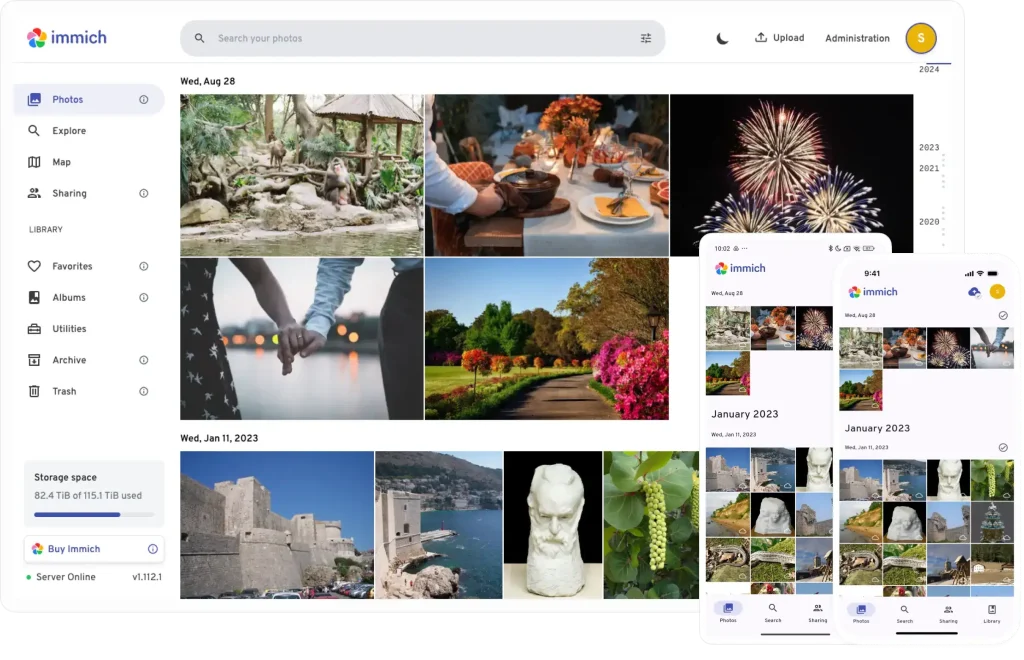
Immich is a strong baseline: its official documentation covers first-party mobile backup, search, faces, RAW and video. It is designed around a Docker Compose server; Linux is the recommended host, while Windows through Docker Desktop/WSL2 is possible but explicitly less preferred. If you want a ready-to-use hosted service, already own a Synology NAS, already maintain Nextcloud, or cannot maintain containers, one of the choices below may fit better. Immich is not a bad choice simply because an alternative exists.
The six options: strengths and compromises
1. PhotoPrism — a searchable, self-hosted library
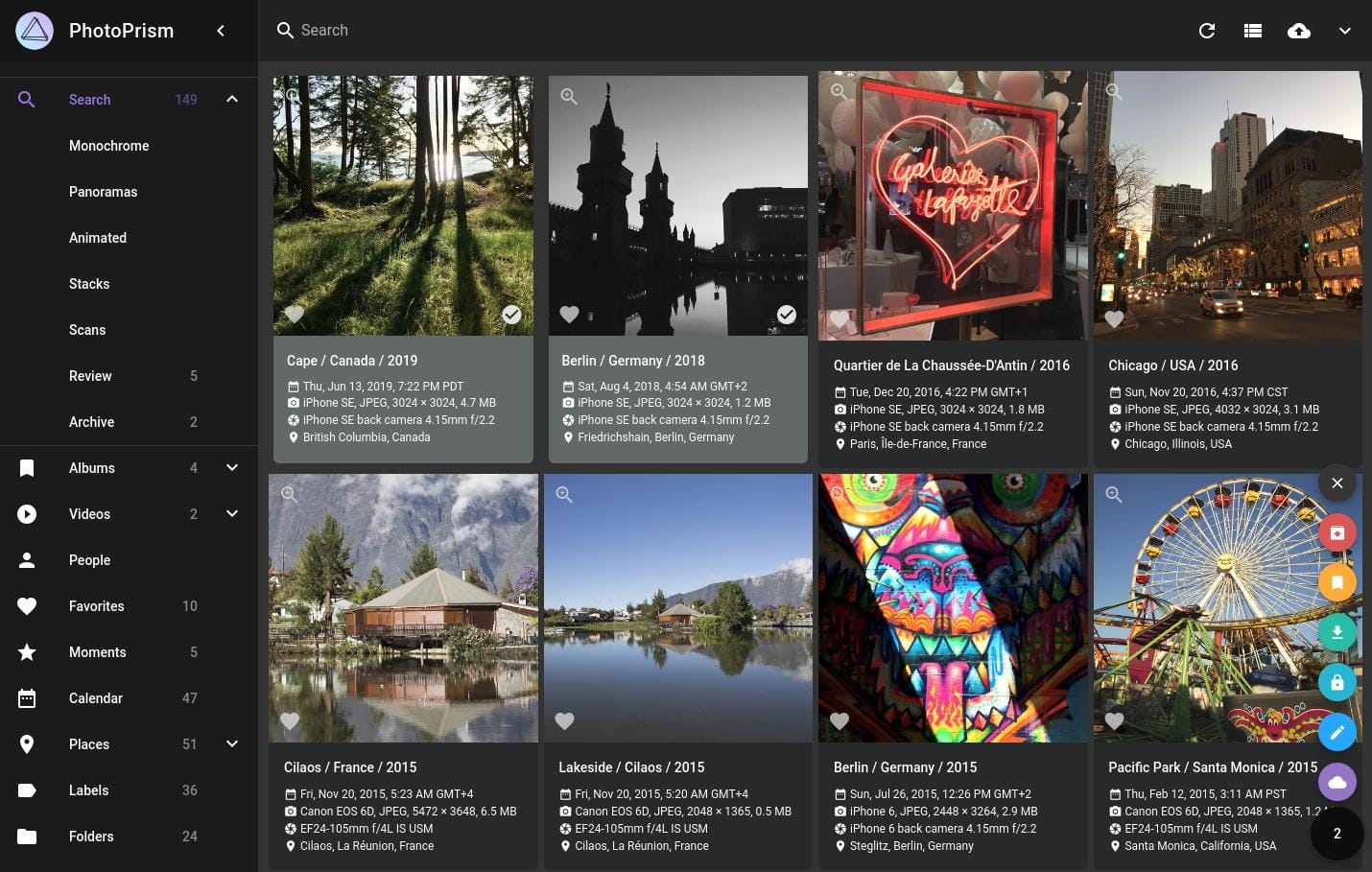
Choose PhotoPrism when you want control of files and a mature photo-browsing/search experience. Its Community Edition is free; paid editions add capabilities. It supports RAW and video and has official Docker and NAS setup documentation. Compared with Immich: the important trade-off is phone backup: PhotoPrism documents third-party apps such as PhotoSync rather than an equivalent first-party mobile app. Check Community Edition user-role limits before assuming it will serve a household with separate accounts. Official PhotoPrism FAQ.
2. Nextcloud Memories — best if Nextcloud is already home
Memories is an open-source photo app inside Nextcloud, not a standalone server. It gives existing Nextcloud users a timeline and uses Nextcloud accounts and phone auto-upload. Optional face recognition and smart features depend on separate Nextcloud apps; RAW previews and video playback can need additional configuration. Compared with Immich: setup is broader and more modular, not a single-purpose photo appliance. Starting from zero just for photos may be more work; for an existing Nextcloud installation, it is an efficient upgrade. Official Memories installation guide.
3. Piwigo — organized galleries without mandatory Docker
Piwigo suits photographers and groups who care about albums, permissions and a traditional web gallery. The self-hosted version is free and can be installed manually with PHP/MySQL; its separate cloud offer is paid. Mobile apps upload photos, but the official material checked here does not establish an Immich-style reliable unattended background backup. Face recognition is still presented as a future feature, so do not choose Piwigo for that today. Compared with Immich: stronger conventional gallery administration, weaker verified phone-backup and AI experience. Official Piwigo features.
4. Synology Photos — easiest if you already own a compatible NAS
Synology Photos is part of a compatible DSM 7+ NAS workflow, with mobile backup and personal/shared spaces. A Windows user can manage the library through the browser and NAS file access; no separate Docker photo stack is required. Compared with Immich: simplicity comes with hardware lock-in and the cost of the NAS. Facial/object recognition is not universal: verify your exact Synology model before buying or migrating. Official Synology Photos quick start.
5. Ente Photos — privacy-first, hosted or self-hosted
Ente offers end-to-end encryption, first-party phone backup, desktop apps including Windows, and a hosted free 10 GB tier with paid storage beyond it. Its code is open source and self-hosting is supported, but the documented quickstart is Docker Compose; self-hosting is not the same beginner-friendly experience as signing up for Ente’s hosted service. Its face and smart-search features run on device; RAW handling has limitations. Compared with Immich: easier hosted onboarding and a distinct encryption model, but the free hosted capacity is limited and operating your own Ente server is advanced work. Official Ente storage FAQ.
6. LibrePhotos — local AI for experimenters
LibrePhotos is free, open-source photo management with face, object and semantic search plus RAW and video support. Its documented server installation uses containers; Unraid instructions exist. Android mobile integration remains beta/proof-of-concept, and the Windows standalone build is not a stable released alternative to the documented Docker server. Compared with Immich: interesting local AI and no subscription, but a less mature, less predictable automatic phone-backup path. Choose it if experimentation matters more than a turnkey family backup system. Official LibrePhotos documentation.
Head-to-head: which one actually replaces Immich?
- PhotoPrism vs Immich: choose PhotoPrism for a search-first self-hosted archive; keep Immich if first-party automatic phone backup is your main reason for running a server.
- Nextcloud Memories vs Immich: choose Memories if Nextcloud already stores your files and manages your users; choose Immich for a dedicated photo product with fewer separate Nextcloud components.
- Piwigo vs Immich: choose Piwigo for galleries and user permissions without mandatory containers; keep Immich for documented automatic mobile backup and mature face search.
- Synology Photos vs Immich: choose Synology for lower administration on an NAS you already own; choose Immich for hardware independence.
- Ente vs Immich: choose Ente hosted for less server work and end-to-end encryption; choose Immich if you specifically want a self-managed, free-software server with its native mobile workflow.
- LibrePhotos vs Immich: choose LibrePhotos to explore local computer-vision features; choose Immich for a more established everyday phone-to-server experience.
How to choose in three questions
1. Do you need automatic phone backup you can rely on without stitching tools together? Start with Ente hosted, Synology Photos on a supported NAS, or Immich. PhotoPrism can use PhotoSync; Memories uses Nextcloud mobile upload. Verify your phone’s background permissions before migrating your only copy of important photos.
2. What hardware or stack do you already have? Synology NAS points to Synology Photos; an existing Nextcloud server points to Memories. If neither exists and you refuse Docker, evaluate Piwigo’s manual installation. If you can operate containers and want your own files, compare PhotoPrism and Immich.
3. Which trade-off matters most? Ente prioritizes encryption; PhotoPrism, on-premises search; Piwigo, gallery control; LibrePhotos, experimental local AI. Try a small copy of your library first, including RAW files, videos, duplicate names and several users.
Frequently asked questions
What is the best free Immich alternative?
For a self-hosted library, PhotoPrism Community Edition is a strong starting point if third-party phone upload is acceptable. Piwigo and LibrePhotos are also free to self-host but solve different problems. Ente has a 10 GB free hosted tier; Synology Photos requires compatible paid hardware. “Free” does not include server electricity, storage or backups.
Which Immich alternative works on Windows?
Ente has an official Windows desktop client. The other services can generally be used from a Windows browser; that is different from running the server natively on Windows. PhotoPrism documents Docker Desktop on Windows. For Immich specifically, see our Windows 11 setup and limitations guide.
Is there a self-hosted Google Photos alternative without Docker?
Piwigo offers a documented manual PHP/MySQL installation, and Synology Photos runs within a compatible NAS. Both avoid a separate Docker-based photo server, but neither should be described as a drop-in replacement for every Google Photos feature. See our Google Photos alternatives guide for the broader decision.
Do all six options have face recognition and automatic mobile backup?
No. Piwigo’s face recognition is still listed as coming soon; Synology’s detection features depend on model; Memories needs additional apps; PhotoPrism uses third-party phone upload; LibrePhotos mobile integration is still beta. Choose based on the exact feature you need, not a generic “AI” label.
Bottom line
If Immich’s mobile-first workflow already suits you, keep it. If it does not, PhotoPrism is the clearest general self-hosted alternative; Memories makes the most sense inside an existing Nextcloud; Synology Photos is pragmatic on compatible NAS hardware; Piwigo avoids mandatory Docker; Ente offers a privacy-first hosted route; LibrePhotos suits patient experimenters. Recheck features, pricing and supported hardware before moving your original library.
Disclaimer
This comparison is editorial information, not a guarantee of suitability, data safety or future pricing. Product capabilities and plans may change. Keep independent backups and test imports, mobile backup and restoration with a small sample before migration. Facts were checked against linked official sources on 26 September 2026.
Comments